Toon Color Assistant
Toon Color Assistant sets toon colours on a VRChat avatar from inside the Unity Editor. Click skin, cloth, or hair in the Scene view and it reads the texture colour there, then proposes the shadow, rim, and outline colours that follow from it. Apply writes only the shader properties that material actually has.
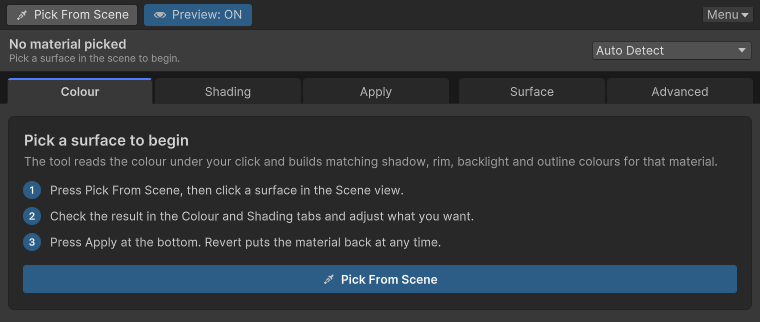
A freshly opened window has nothing picked yet.
Which shaders it writes to
| Shader | What gets written |
|---|---|
| lilToon, lilToon Lite, Tessellation, Multi | Colour and numeric properties that shader provides. |
| Poiyomi Toon, Pro 9.3, 10.0, and 11.0 | The version the material uses is detected, and only properties present on that version are written. Missing ones are skipped. |
| Any other shader | Colour suggestions and copying only. Nothing is written to the material, and the palette shows Shader application unsupported. |
lilToon and Poiyomi can be absent. The window still opens and still proposes colours. The only thing missing is writing those shaders' properties.
What it leaves alone
- Texture import settings and Read/Write
- Colliders in the scene
- Material settings unrelated to the features the tool handles
- Changes you cannot undo. Written values come back with Unity's undo and the window's Revert.
If this is your first time, read Installation and then Quick start.
Support
If Toon Color Assistant helps you, please consider supporting it on GitHub Sponsors. Your support keeps vrc-booth.com running and funds upcoming VRChat open-source projects such as hr-osc.