How it works
When the avatar is built or uploaded, NDMF handles each component as follows.
Build steps
- Check: confirms that Upper Bone and Lower Bone are set and that the bones exist in the avatar. It also confirms that no bone overlaps another component's or appears twice in one component, that no two components have the same end bone name, and that no bone has a parent constraint or is the target of another object's VRC Parent Constraint.
- Menu cleanup: removes the menu parts from components with the toggle menu off, and from components whose prefix an earlier component already uses. If a component's bone has gained a constraint by this point, this step removes the component together with its menu.
- Build the setup: creates what is listed below. This step runs before Modular Avatar and Avatar Optimizer. It checks the bones and constraints again first, and skips a component when another PhysBone uses the same parameter, or when an FX parameter with the same name is not Bool. This step removes the Grab and Pose menu of a skipped component from the built avatar.
- Finish: after Avatar Optimizer, turns
isAnimatedback on for the PhysBones IKGrab created, so the toggle animations keep driving them. If another PhysBone uses the same parameter after optimization, it reports an error.
A component with a problem shows an NDMF error and is left out of the build. Any error makes upload and Build & Test fail. In Play mode, the other components are still applied. See Troubleshooting for the messages.
What is created
| Kind | Contents |
|---|---|
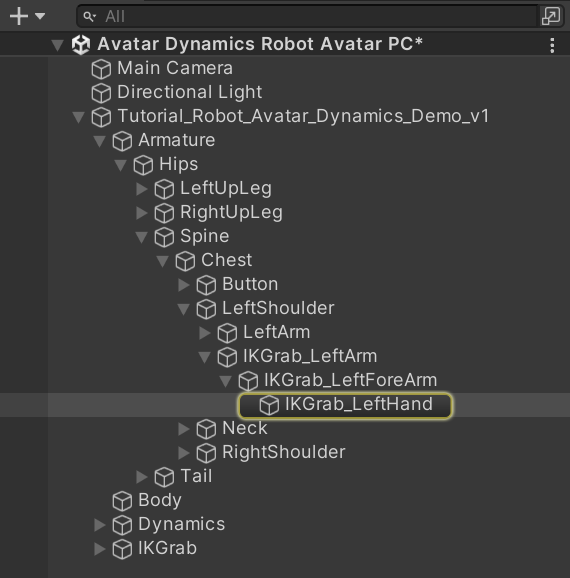
| Objects | An IKGrab_<bone name> copy per bone, next to the upper bone under its parent. If a sibling already has that name, the copy gets a unique one. The lower copy is a child of the upper copy, and the end copy a child of the lower copy. |
| PhysBone | A VRC Phys Bone on the upper copy. Its parameter is <end bone>_IK; VRChat adds _IsGrabbed and _IsPosed. Its pose permission starts as Use PhysBone Pose sets it. |
| Constraints | VRC Parent Constraints in both directions between each real bone and its copy: 4 for two bones, 6 for three. |
| FX layers | IKGrab_<end bone>_Grab. With the menu, also IKGrab_<end bone>_GrabToggle, which handles both Grab and Pose. The added states follow the Write Defaults setting of the avatar's FX controller. |
| Parameters | <end bone>_IK_IsGrabbed, <end bone>_IK_IsPosed. With the menu, also <prefix>_GrabToggle and <prefix>_PoseToggle, or the new names if a Modular Avatar Parameters renames them. Their defaults match the expression parameters, and a toggle that is not an expression parameter starts off. |
| Animation clips | Saved as IKGrab_<end bone>_...anim files next to the build copy of the FX controller (Packages/nadena.dev.ndmf/__Generated/<avatar>/_assets/). |
The end bone here is End Bone (Optional) when set, otherwise Lower Bone. The Head preset has no end bone, so its names use the head bone.
What happens when it is grabbed
Normally the copy follows the real bone, and the real bone plays its own animation. When someone grabs the copy's PhysBone (IsGrabbed) or poses it (IsPosed), the Grab layer switches state: the real bone follows the copy, and the copy stops following the real bone. When it is let go, everything returns to normal.
Toggle menu
The prefab holds an IKGrab submenu with two items.
| Menu | Parameter | Default |
|---|---|---|
| Grab | <prefix>_GrabToggle | on |
| Pose | <prefix>_PoseToggle | off |
Grab off turns the PhysBone off, so nobody can grab it. Pose off turns off the PhysBone's pose permission and clears an existing pose. Turning Pose on permits posing again.
Both are saved, synced bools, so they use 2 bits of avatar parameters. With the toggle menu off, no parameters, menu or toggle layers are created, and posing is decided by Use PhysBone Pose.
Components that share a prefix
Each component gets a toggle layer driven by <prefix>_GrabToggle and <prefix>_PoseToggle. Components with the same prefix keep one menu, taken from the first component that has one. That menu switches all of them together. When you change the prefix, the component renames only the IKGrab_GrabToggle and IKGrab_PoseToggle entries of the prefab's Modular Avatar Parameters. To control parts separately, give each component its own prefix and use one prefab per part.
What it writes in your project
IKGrab edits the copy of the FX controller that NDMF makes for the build and writes its clips next to that copy. Your own FX controller file is not changed.